MCP traffic
The messages crossing configured tool connections.
 Deep Well LabsWatchtower FOR MACAsk a question ↗
INVITED ALPHA / FREE DURING ALPHA
The tool call. The connection.
And whether you were there.
Runtime MCP traffic, agent hook events, per-process network flows and presence, together on one Mac. Follow what happened while an agent ran, including activity recorded while you were away.
macOS 26 or later · Apple Silicon · No account
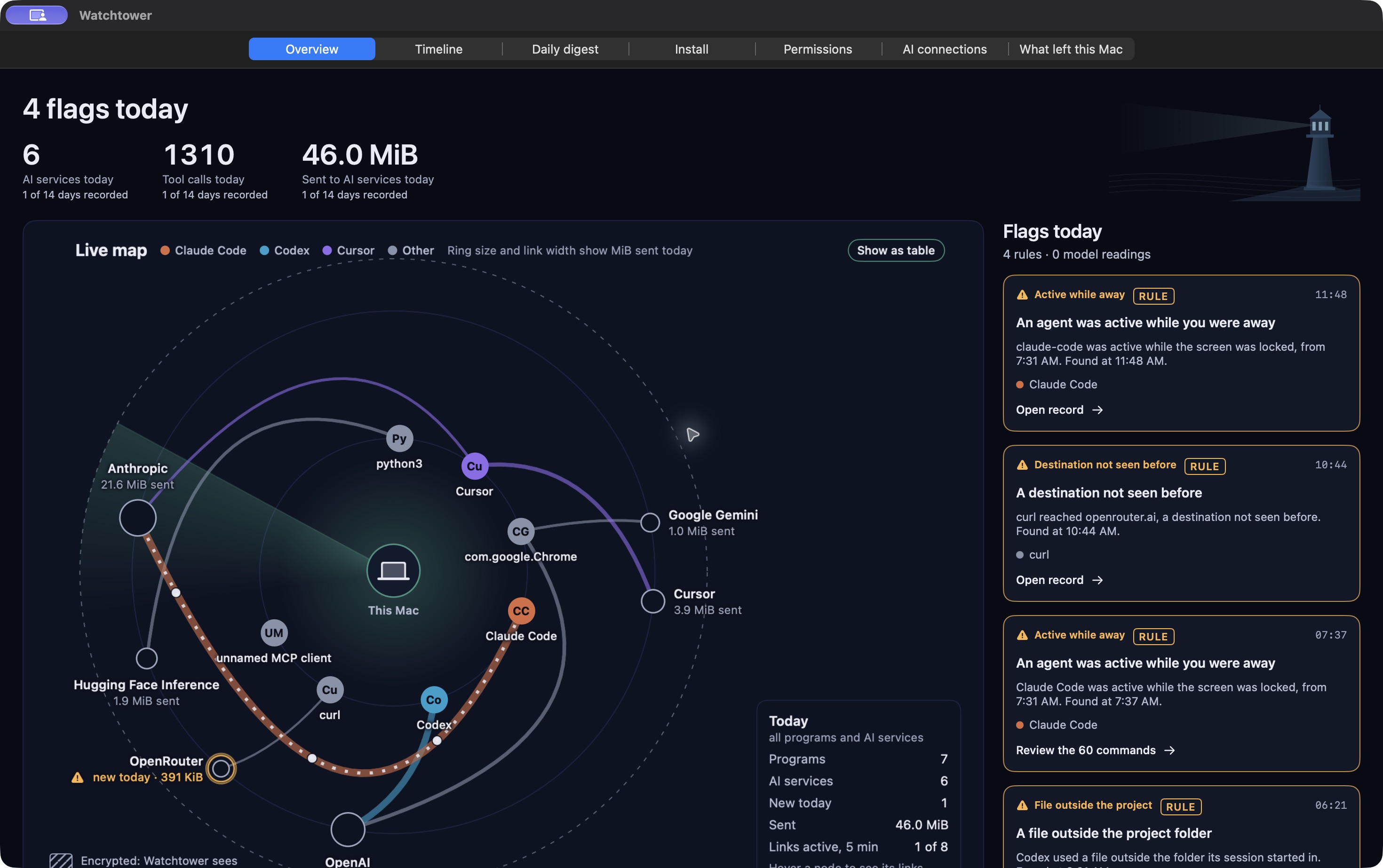
See the programs, the services they contacted, and the flags worth reviewing. Each flag points back to a record.
Actual Watchtower development build · synthetic demo dataNo record uploads.
No account.
No blocking.
THE WATCHTOWER DIFFERENCE / RUNTIME + CONTEXT
A skill’s install-time appearance is only part of the picture. Watchtower brings four runtime sources into the same local record, so you can inspect an agent’s activity alongside its connections and the Mac’s presence state.
The messages crossing configured tool connections.
Reported built-in tool activity beyond MCP.
Connections and data volume attributed to a process.
Away-and-back context from the Mac.
PRESENCE / THE CONTEXT THAT CHANGES THE QUESTION
The presence band sits alongside recorded activity. See when a screen lock or an idle period overlaps with agent work, then decide whether it was expected.
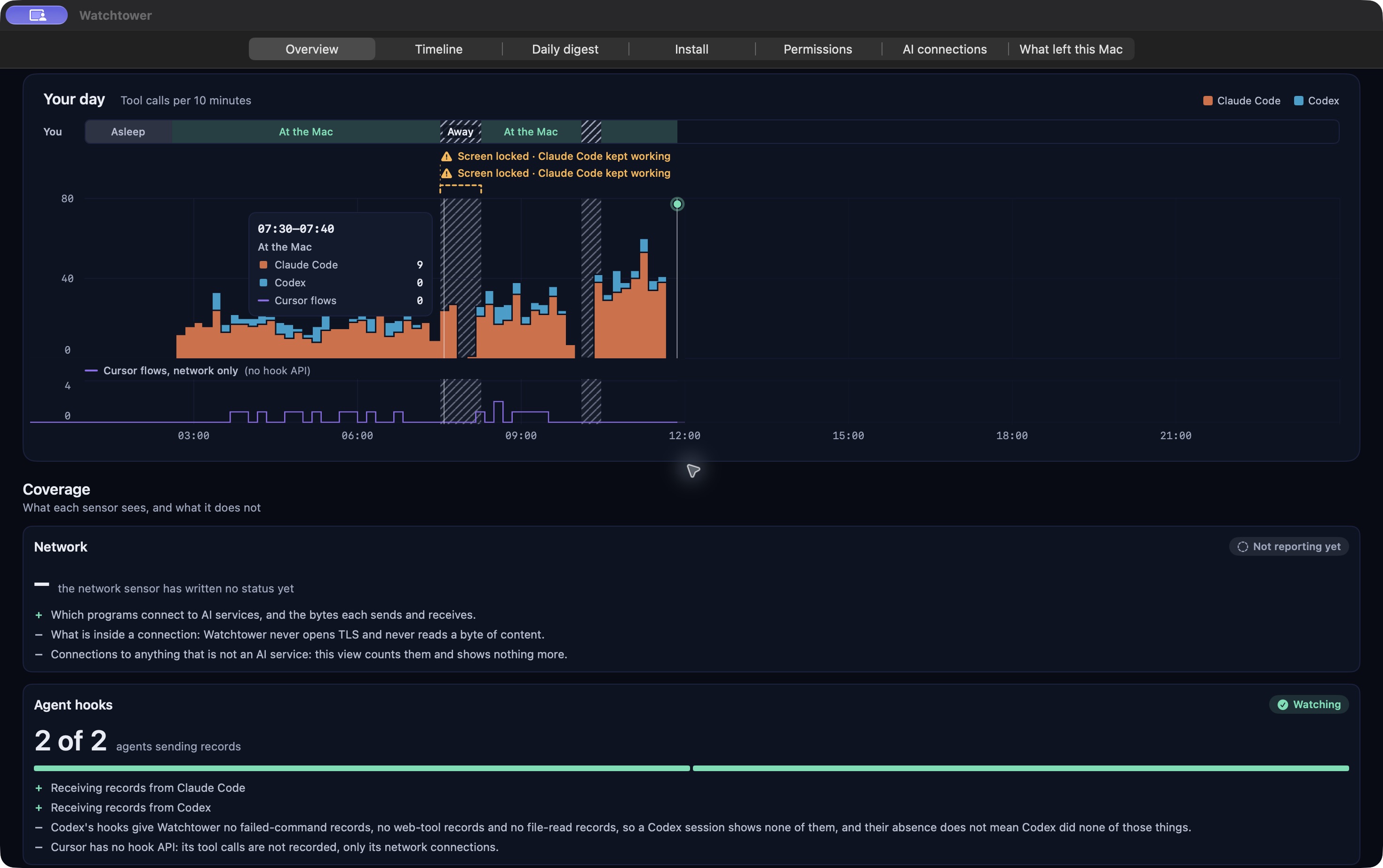
In this synthetic day, the hatched intervals mark time away. The orange and blue activity continues underneath. Presence is context, not proof of authorization.
Actual Watchtower development build · synthetic demo dataSESSION REPLAY / FOLLOW THE SEQUENCE
Review the reported tool calls, file operations and tool-server calls in a session. Scrub the timeline and open the supporting record. Network context is Mac-wide, not attributed to that session.
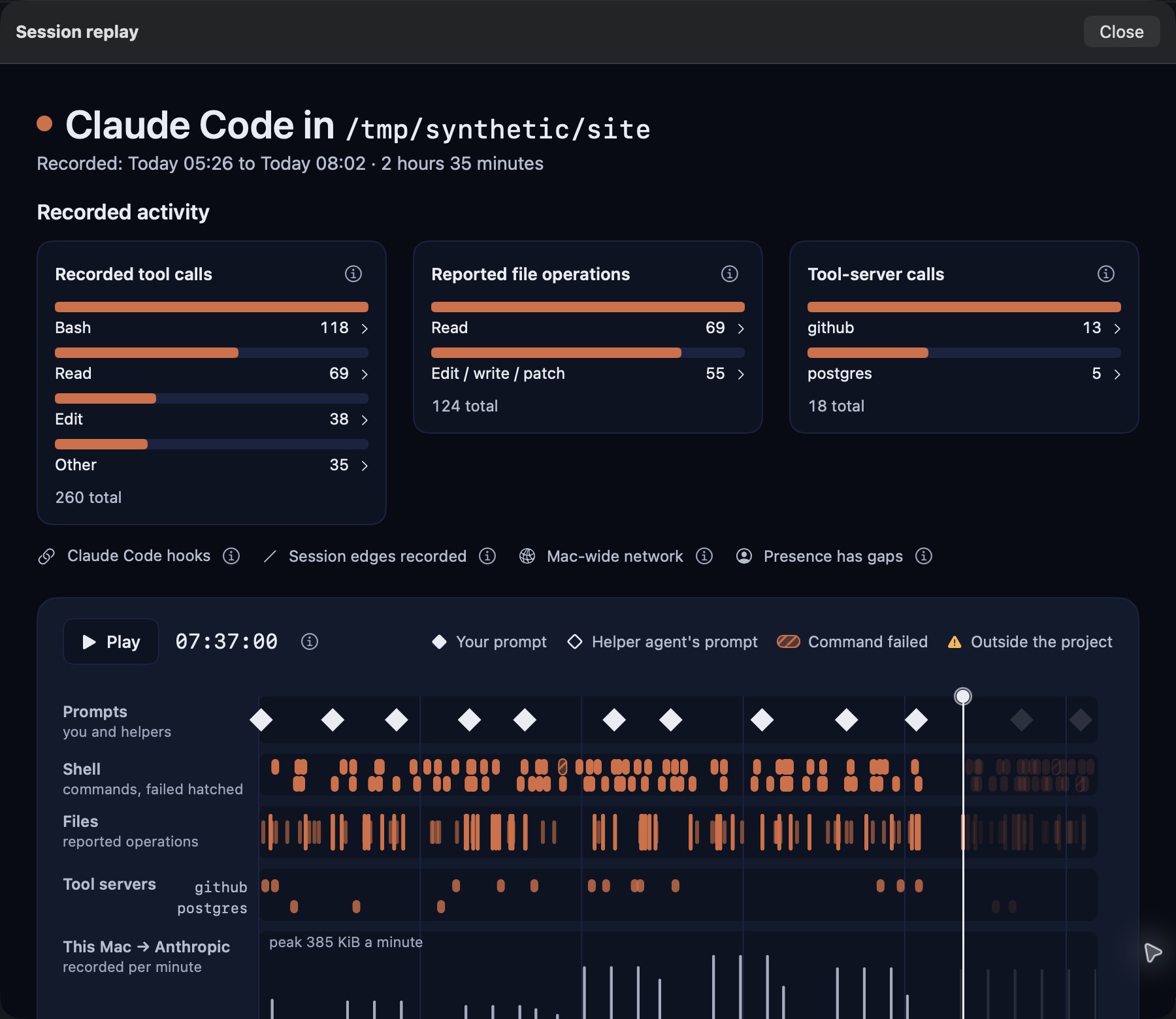
The real replay view separates reported activity, the sequence of events and its coverage limits. Shown here with a made-up Claude Code session.
Actual Watchtower development build · synthetic demo dataNETWORK FLOWS / MAKE THE DESTINATIONS LEGIBLE
Follow each ribbon from a program to an AI service. Its width represents recorded data volume. See the destinations and the scale, while encrypted content stays encrypted.
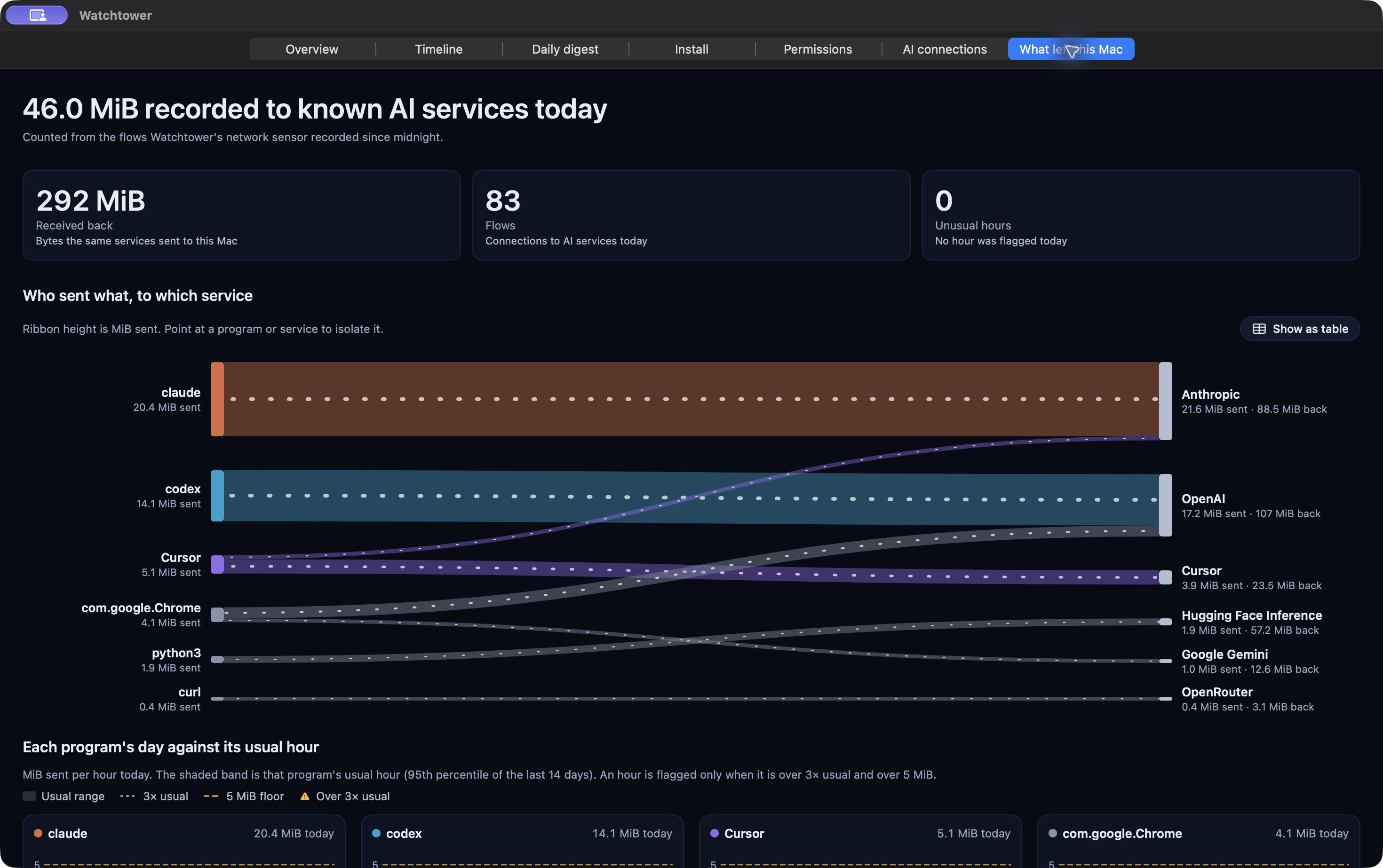
The “What left this Mac” view maps observed connections by program and service. Byte counts show volume, not the contents of a request.
Actual Watchtower development build · synthetic demo dataWHY RUNTIME VISIBILITY MATTERS
In the SkillCloak authors’ evaluation of 1,613 malicious skills, self-extracting packing achieved a bypass rate above 90% for each of eight tested scanners.
Read the research: Cloak and Detonate ↗A reported research result, not a Watchtower benchmark. It does not establish that Watchtower detects these attacks. Watchtower provides an observe-only record of activity, with explicit coverage limits.
Our positioning and its research limits →01 / FOLLOW THE WORK
See which programs contact AI services and how much data they send. Encrypted request contents stay encrypted.
Understand the coverage →Follow recorded coding-agent activity step by step. Inspect the tool record behind a timeline entry or a flag.
What is in this alpha →Rule flags and on-device model readings are labelled. Watchtower informs you; you decide what the activity means.
Records and interpretations →A MONITOR FOR YOUR OWN MAC
Watchtower observes connections and agent activity. It does not intercept TLS, block a connection or change a tool call. Your records stay on your Mac.
Visibility has limits. A remote service’s internal activity is outside the picture, and agent records depend on the integrations you configure.
Read the privacy boundaries →START WITH THE INVITED ALPHA
Free during alpha. macOS 26 or later on Apple Silicon.
Release & installation details ↗